QSFP Breakout Lane Mapping Troubleshooting: 4x25G and 4x100G
A QSFP-family port does not automatically support every breakout mode. Before blaming the cable or optics, prove that the host, port, module or cable assembly and remote endpoints all support the intended channelization. Then troubleshoot each lane as a separate signal path.
Confirm that breakout is supported end to end
Record the exact host, line card, port, software release and module part number. Check the vendor's port and optics documentation for the requested mode, such as one 100G port divided into four 25G interfaces or one 400G port divided into four 100G interfaces.
Some optical modules multiplex several internal lanes into one line-side optical signal and only operate as one aggregate interface. A matching form factor and total data rate do not prove breakout capability. Host-based breakout also may be limited to specific ports or require a particular software release.
The 100G QSFP28 selection guide explains the broader distinction between form factor, optical application and host support.
Lock the host channelization before cabling changes
Verify the configured port mode and the interfaces the host actually creates. Save the configuration and interface inventory at both ends.
Check whether the parent port must be administratively disabled before changing speed. Confirm lane order, logical interface numbering, auto-negotiation behavior where applicable and the remote port mode. A remote endpoint left at the aggregate rate will not establish four independent channels.
Do not copy a breakout command from another platform family. Command syntax and supported modes are device and release specific.
Map every electrical and optical lane
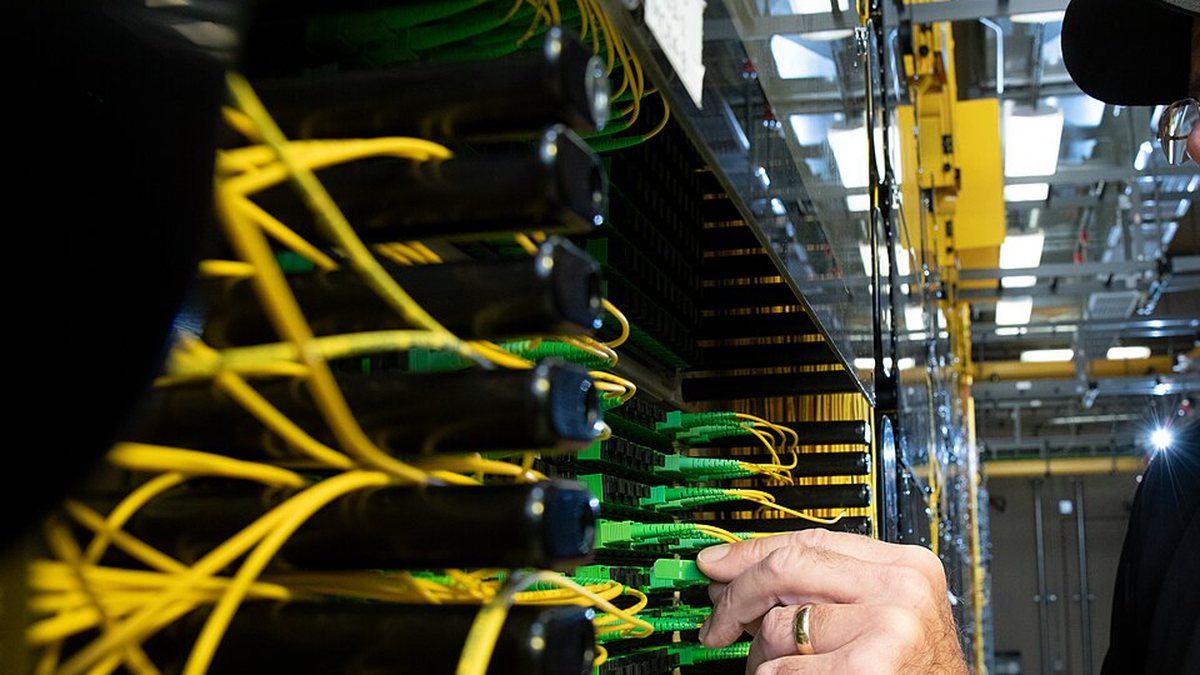
Label the parent port and each child lane from end to end. For a breakout cable, record the branch identifiers and remote ports. For MPO-based parallel optics, include fiber position, polarity method, connector gender and key orientation.
A single crossed or missing lane can create one failed child link while the other three work. A reversed fan-out label can make troubleshooting appear to follow the wrong interface.
Do not repeatedly swap branches at random. Build a map, make one controlled change and record the result.
Verify FEC and signal requirements per child link
Forward error correction can be required, optional or unsupported depending on the exact interface. Both ends of each child link must use a compatible mode.
If all child links remain down, recheck parent channelization and module support first. If one lane fails, compare its FEC, error counters and optical readings with the working lanes. The separate FEC and high-speed interconnect guide provides additional implementation context.
Avoid treating “FEC on” as a universal fix. The correct setting comes from the host and optical application documentation.
Use per-lane evidence
Collect for every child interface:
- administrative and operational state;
- remote port identity and speed;
- module and cable identity;
- FEC mode and corrected/uncorrected counters;
- transmit and receive data where the platform exposes it;
- PCS, alignment or lane alarms;
- traffic-test result.
Compare the failed lane with a working lane on the same parent port. If the fault follows a cable branch during a controlled substitution, the branch or mapped optical path becomes the stronger suspect. If it remains on the same host lane, investigate port configuration, hardware and software support.
Breakout troubleshooting sequence
- Verify host and module support for the exact breakout mode.
- Save the parent-port configuration and software context.
- Confirm child-interface creation and remote speed.
- Map branch labels or MPO fiber positions.
- Verify FEC and negotiation requirements per lane.
- Inspect and clean optical connectors.
- Compare per-lane alarms, power and counters.
- Substitute one known-good branch or endpoint at a time.
- Retest all lanes simultaneously under traffic.
Frequently asked questions
Can every QSFP28 module run as four 25G links?
No. Breakout support depends on the module architecture and host. Some modules operate only as one aggregated 100G interface.
Why do three breakout lanes work and one stay down?
Likely areas include branch mapping, one fiber position, one remote port, FEC, contamination or a single host lane. Compare the failed lane with the three known-good lanes.
Does a passive breakout cable need coding?
Host behavior varies. Verify the cable assembly identification and platform support instead of assuming that electrical continuity is sufficient.
Can I fix lane order by swapping branches?
Only after documenting the intended map. Random swaps can hide a labeling or polarity defect and create new errors.
Is 400G to 4x100G the same workflow as 100G to 4x25G?
The isolation logic is similar, but host modes, module types, signaling and FEC can differ. Use the exact platform documentation.
What evidence should accompany a supplier support request?
Provide parent and child interfaces, host/software, module or cable part numbers, lane map, FEC, alarms, counters, branch labels and controlled-substitution results.
Review the breakout topology before ordering
Share both endpoint platforms, software, parent-port mode, required child speeds, optic or cable type, connectors, lane map, FEC and cable length. Axonode can help coordinate a verified breakout BOM and sample validation plan.
Contact Axonode for breakout compatibility review or review the high-speed interconnect field guide.
 QSFP Breakout Lane Mapping Troubleshooting: 4x25G and 4x100G
 LC/UPC vs LC/APC Connector Mismatch: Diagnose and Repair
 BiDi Transceiver Pairing and Link-Down Troubleshooting
 Optical Link Budget Checklist Before Choosing Long-Reach Optics